
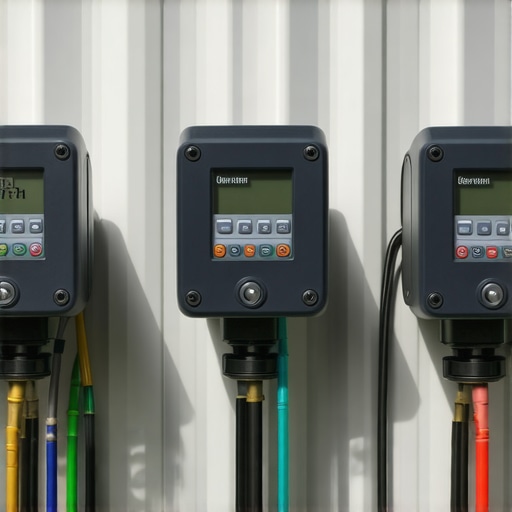
The Cost of Ignorance: An Irrigation Forensic Autopsy
I recently got called out to tear up a $30,000 patio that was sinking because the previous contractor failed to account for a critical irrigation timer fault that occurred during the initial sod install. The homeowners thought their new landscaping was simply thirsty, but in reality, a surge-damaged controller had locked a station open, creating a sub-surface aquifer that liquefied the modified gravel base. This wasn’t just a yard cleanup issue; it was a civil engineering failure. When the irrigation system doesn’t shut off, the hydrostatic pressure behind retaining walls or under pavers becomes a destructive force that can move tons of stone. You don’t fix this with a rake and a smile; you fix it by understanding the electrical and hydraulic logic of your controller.
“Irrigation scheduling should be based on the water-holding capacity of the soil and the evapotranspiration (ET) rate of the turfgrass.” – Texas A&M AgriLife Extension
1. Power Surge and Logic Board Scrambling
3 Irrigation Timer Faults and How to Reset Them often begins with power surges or voltage irregularities that scramble the microprocessor logic, requiring a hard factory reset or transformer replacement. These spikes usually happen during summer storms or when utility companies switch grid loads, causing the internal memory of the controller to default to a ‘Factory Test’ mode or freeze the LCD screen entirely. If your screen is blank or showing gibberish, you are likely looking at a logic board that has lost its way. You must determine if the fault is at the transformer (input) or the board itself. A standard multimeter should read between 24 and 28 volts AC at the terminal strip. If you have power but no logic, a reset is your only hope before declaring the unit e-waste.
How do I perform a hard reset on a landscape timer?
To reset most professional-grade controllers like a Hunter Pro-C or Rain Bird ESP, you must disconnect the 9V battery backup and the AC power supply simultaneously. For a Hunter unit, hold the ‘PRG’ and ‘Minus’ buttons while plugging the power back in. For a Rain Bird, locate the recessed reset button on the back of the faceplate. This clears the RAM buffer. It wipes out your programming, but it forces the microprocessor to re-initialize its boot sequence. Don’t skip the battery removal. That battery is there to preserve the very errors you are trying to purge. Once reset, you must re-enter your zone run times based on your specific soil type to avoid drowning your landscaping.
2. Sensor Logic Lockouts and ‘No Run’ Errors
The second most common fault involves sensor logic lockouts where a rain sensor or freeze sensor sends a false ‘Stop’ signal to the controller, preventing necessary irrigation cycles. Modern controllers are designed to be smart, but a spider web in a rain sensor or a slightly corroded wire can trick the system into thinking it is perpetually raining. This is a silent killer for new sod install projects. The homeowner sees a green light on the timer but the grass is turning brown. You check the schedule, and it looks fine, but the system refuses to engage the solenoids. This is almost always a sensor bypass issue.
How to bypass a faulty irrigation rain sensor?
Every professional controller has a ‘Sensor’ toggle switch or a pair of jumper terminals labeled ‘SEN’. If your system won’t run, flip that switch to ‘Bypass’. If the system starts immediately, your sensor is the culprit. In many cases, the disks inside the rain sensor have expanded and haven’t dried out, or the wireless transmitter has lost its sync. If you are using a wired sensor, check for nicks in the wire caused by recent yard cleanup activities like weed-whacking. A broken sensor wire is interpreted by the controller as ‘Wet,’ which kills the circuit. Repair the wire with waterproof grease nuts; electrical tape will not hold up in the dirt.
3. Terminal Short Circuits and ‘ERR’ Codes
The third fault is the terminal short circuit, often signaled by an ‘ERR’ or ‘OFF’ code on specific zones, caused by solenoid failure or field wire degradation. When the controller sends 24VAC to a valve and detects a resistance of less than 20 ohms, it identifies a short circuit and shuts that zone down to protect the internal circuitry. This is a safety mechanism. If you see ‘Err’ on Zone 4, don’t just keep hitting the ‘Manual Start’ button. You are stressing the transformer. You need to measure the resistance (Ohms) between the common wire and the specific zone wire. A healthy solenoid should read between 20 and 60 ohms. Anything lower is a short; anything higher is an open circuit (broken wire).
“A properly functioning irrigation controller must provide a consistent 24 to 28 volts AC to the valves to overcome the internal spring pressure of the solenoid.” – Irrigation Association Technical Manual
Why does my irrigation timer say ‘Short’ or ‘Error’?
An ‘Error’ code typically indicates that the solenoid coil has melted internally or the wires are touching somewhere in the valve box. This often happens after a heavy sod install where the soil was compacted with a heavy roller, pinching the wires against a rock. To fix this, you must replace the solenoid. Do not replace the whole valve. Just unscrew the black cylinder on the valve, wire in a new one, and reset the fault code on the timer by turning the dial to ‘Off’ and back to ‘Auto’. If the error persists, the fault is in the ‘Master Valve’ circuit, which will shut down the entire system regardless of which zone is trying to run.
Technical Data: Irrigation and Soil Interaction
While the internet tells you to water every day, turf grass actually needs deep, infrequent watering—exactly 1 inch per week—to force roots to chase the water down. Following a reset, you must program your timer according to your soil’s percolation rate. If you have heavy clay, you cannot run a zone for 30 minutes straight; you must use the ‘Cycle and Soak’ method to prevent runoff and wasted water.
| Soil Type | Percolation Rate (In/Hr) | Maximum Run Time (Min) | Recovery Period (Hrs) |
|---|---|---|---|
| Heavy Clay | 0.05 – 0.10 | 8 Minutes | 4 Hours |
| Silt Loam | 0.25 – 0.50 | 15 Minutes | 2 Hours |
| Sandy Soil | 1.00 – 2.00 | 40 Minutes | 1 Hour |
[IMAGE_PLACEHOLDER]
Professional Irrigation Audit Checklist
- Check Transformer Output: Ensure 24VAC-28VAC is reaching the terminal strip.
- Test Solenoid Resistance: Verify 20-60 Ohms across all active zones.
- Inspect Common Wire: Ensure the white ‘Common’ wire is seated deeply in the terminal.
- Verify Sensor Status: Toggle the bypass switch to rule out weather sensor interference.
- Reset Start Times: Ensure only one start time is active to prevent ‘Stacking’ cycles.
- Clear Zone Faults: Turn the dial to ‘Off’ for 30 seconds to clear software error flags.
Understanding these three faults—logic scrambling, sensor lockouts, and terminal shorts—separates the professionals from the amateurs. If you just had a major landscaping project completed, the last thing you want is for a $50 solenoid or a confused timer to kill thousands of dollars in new plants. Most of the time, the hardware is fine; the logic just needs a hard shove back into the right lane. Stop guessing. Get a multimeter, check your ohms, and reset the board properly. Your yard depends on it. It will rot if you don’t. [{“@context”:”https://schema.org”,”@type”:”HowTo”,”name”:”How to Reset an Irrigation Timer”,”step”:[{“@type”:”HowToStep”,”text”:”Disconnect the AC power and the 9V battery backup.”},{“@type”:”HowToStep”,”text”:”Hold the reset button combination specific to your brand (e.g., PRG and Minus for Hunter).”},{“@type”:”HowToStep”,”text”:”Restore power while holding the buttons until the screen clears.”},{“@type”:”HowToStep”,”text”:”Reprogram your zones based on soil type and seasonal needs.”}]},{“@context”:”https://schema.org”,”@type”:”FAQPage”,”mainEntity”:[{“@type”:”Question”,”name”:”Why is my irrigation controller screen blank?”,”acceptedAnswer”:{“@type”:”Answer”,”text”:”A blank screen usually indicates a failed transformer or a tripped circuit breaker. Test the terminals for 24VAC; if power is present but the screen is blank, the internal logic board has failed and the unit needs replacement.”}},{“@type”:”Question”,”name”:”How do I know if my solenoid is bad?”,”acceptedAnswer”:{“@type”:”Answer”,”text”:”Use a multimeter set to Ohms. Test the zone wire and the common wire. A reading below 20 ohms indicates a short, while a reading of ‘OL’ or infinity indicates a broken wire.”}}]}]