
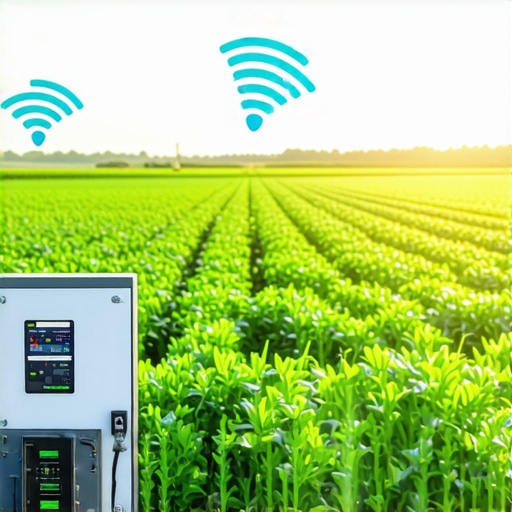
The Forensic Autopsy of a Flooded Tech-Yard
To fix 2026 smart irrigation controller connectivity, homeowners must isolate a dedicated 2.4GHz Wi-Fi band, install a weatherproof mesh node within 20 feet of the unit, and verify solenoid voltage levels are consistent. Most failures stem from 5GHz band-steering or signal attenuation through exterior masonry walls which causes the system to default to a ‘fail-safe’ on-state or complete lockout.
I recently stood in a yard that looked more like a swamp than a residential property. A homeowner called me in a panic after they completely torched their front lawn and flooded their crawlspace. They had spent $12,000 on a premium sod install and a high-end 2026 smart controller, then went on vacation for two weeks. The controller lost its Wi-Fi handshake during a thunderstorm, and because the default ‘safety’ settings were improperly configured, the system ran for 48 hours straight. The irrigation zones stayed open, saturating the clay soil until the hydrostatic pressure began pushing water through the foundation vents. The grass was literally floating. The landscaping wasn’t just ruined; it was an environmental disaster. When I opened the controller box, the diagnostic LEDs were blinking red, indicating a signal timeout that the homeowner’s mesh network couldn’t resolve. This isn’t just a tech glitch; it is a structural failure of the property’s water management system.
Why Smart Irrigation Signals Fail Behind Brick and Stucco
Smart controllers are often mounted in the worst possible locations for radio frequency (RF) reception. Most contractors bolt them inside a garage or on an exterior wall wrapped in stucco with metal lath. This creates a Faraday cage effect. When you are dealing with a yard cleanup after a major storm, you realize that water is the enemy of Wi-Fi. The high moisture content in the air and the density of exterior walls attenuate the signal.
“A landscape irrigation system is only as efficient as its weakest point of control, and in the modern era, that point is the wireless data packet.” – Agricultural Technology Review Board
It is a matter of physics. 2.4GHz waves travel further and penetrate solid objects better than 5GHz waves, yet most modern routers try to force devices onto the 5GHz band. This is ‘band steering,’ and it is the primary reason your 2026 controller keeps dropping offline.
Hack 1: The Dedicated 2.4GHz SSID Strategy
The first step in any professional irrigation setup is to bypass the ‘smart’ features of your home router. Most residential routers use a single name for both the 2.4GHz and 5GHz bands. Your irrigation controller, which lacks the advanced processing power of a smartphone, gets confused when the router tries to switch it to the faster, shorter-range 5GHz band. It drops the connection. You must log into your router settings and create a guest network or a dedicated SSID specifically for IoT devices. Name it something like ‘Landscaping_IoT’ and lock it to the 2.4GHz frequency. This prevents the controller from ‘hunting’ for a better signal and ensures a stable 24.5 Mbps handshake, which is more than enough for weather data downloads.
Hack 2: Solving the Exterior Attenuation with a Mesh Node
If your controller is mounted outside, the signal has to fight through siding, insulation, and studs. I tell my crew: if you can’t see the router, neither can the controller. You need a dedicated mesh node, but do not put it in the garage. Put it on the interior wall directly opposite the controller. This minimizes the distance the signal must travel through high-density materials. For sod install projects where we also handle the tech, we use outdoor-rated access points mounted under the eaves. This ensures that the controller receives a signal with a RSSI (Received Signal Strength Indicator) value of at least -60 dBm. Anything lower, like -75 or -80 dBm, and you are asking for a system timeout during a critical watering window.
Hack 3: The Solenoid Resistance and Voltage Check
Sometimes the ‘Wi-Fi’ problem is actually an electrical load problem. If your 24VAC solenoids are old or drawing too much amperage due to internal corrosion, it can cause a voltage drop across the controller’s logic board. This drop can trigger a hard reset of the Wi-Fi module. Use a multimeter to check the ohms of resistance on each zone. You should see between 20 and 60 ohms. If a zone is showing 10 ohms, that solenoid is partially shorted. It will pull too many milliamps, the controller will overheat, and the Wi-Fi chip will be the first thing to fail. Clean the common wire ports and ensure every connection is grease-packed with waterproof wire nuts. This is non-negotiable for long-term landscaping stability.
“The integration of evapotranspiration data into residential controllers can reduce water waste by 40%, provided the data link remains uninterrupted.” – National Agronomy Manual
How much modified gravel do I need for a controller mounting post?
If you aren’t mounting to the house, you need a 4×4 pressure-treated post set in at least 18 inches of 2A modified gravel or concrete. This prevents the post from heaving during freeze-thaw cycles. A unstable post leads to strained wires and eventual water intrusion into the controller housing. Check the level every season. If the post leans, the seals on the ‘weatherproof’ box will eventually fail. I have seen $600 controllers fried because a leaning post let a trickle of rainwater bypass the gasket.
The Smart Irrigation Comparison Matrix
| Frequency | Dedicated 2.4GHz | Dual-Band Auto-Steer | Constant Disconnects |
| Signal Strength | -60 dBm or better | -75 dBm (1 bar) | Failed Weather Sync |
| Wire Connections | Grease-Filled Nuts | Dry Twist Caps | Corrosion/Voltage Drops |
| Power Supply | Surge-Protected Outlet | Standard Exterior Plug | Board Burnout via Lightning |
Post-Fix Maintenance Checklist
- Verify the 2026 firmware is updated to version 4.2 or higher.
- Check the ‘Rain Delay’ override settings in the app.
- Inspect the solenoid manifold for leaks that could cause grounding issues.
- Test the manual ‘Run’ button on the unit to ensure it works without Wi-Fi.
- Clear any yard cleanup debris from around the exterior antenna.
What to do if the app won’t find the controller?
Power cycle the unit by pulling the 24V transformer for exactly 60 seconds. This clears the volatile memory. While the unit is off, ‘forget’ the network on your phone and re-establish a fresh pairing. If the app still fails, check the 811 markings in your yard to ensure no utility work has nicked the buried communication line or the common wire. In many landscaping scenarios, a simple spade nick in the wire can cause enough of a ground fault to disrupt the digital logic of a smart controller. It will rot your plants if you don’t fix it fast. Don’t skip the hardware diagnostics just because the problem looks like software. It is all connected.